
Start from the standard, then make it your own.
Every account gets a fire risk assessment template designed around PAS 79-1 and BS 9792. On Pro, you add your own sections and questions beside it, or build the form you already use from scratch.
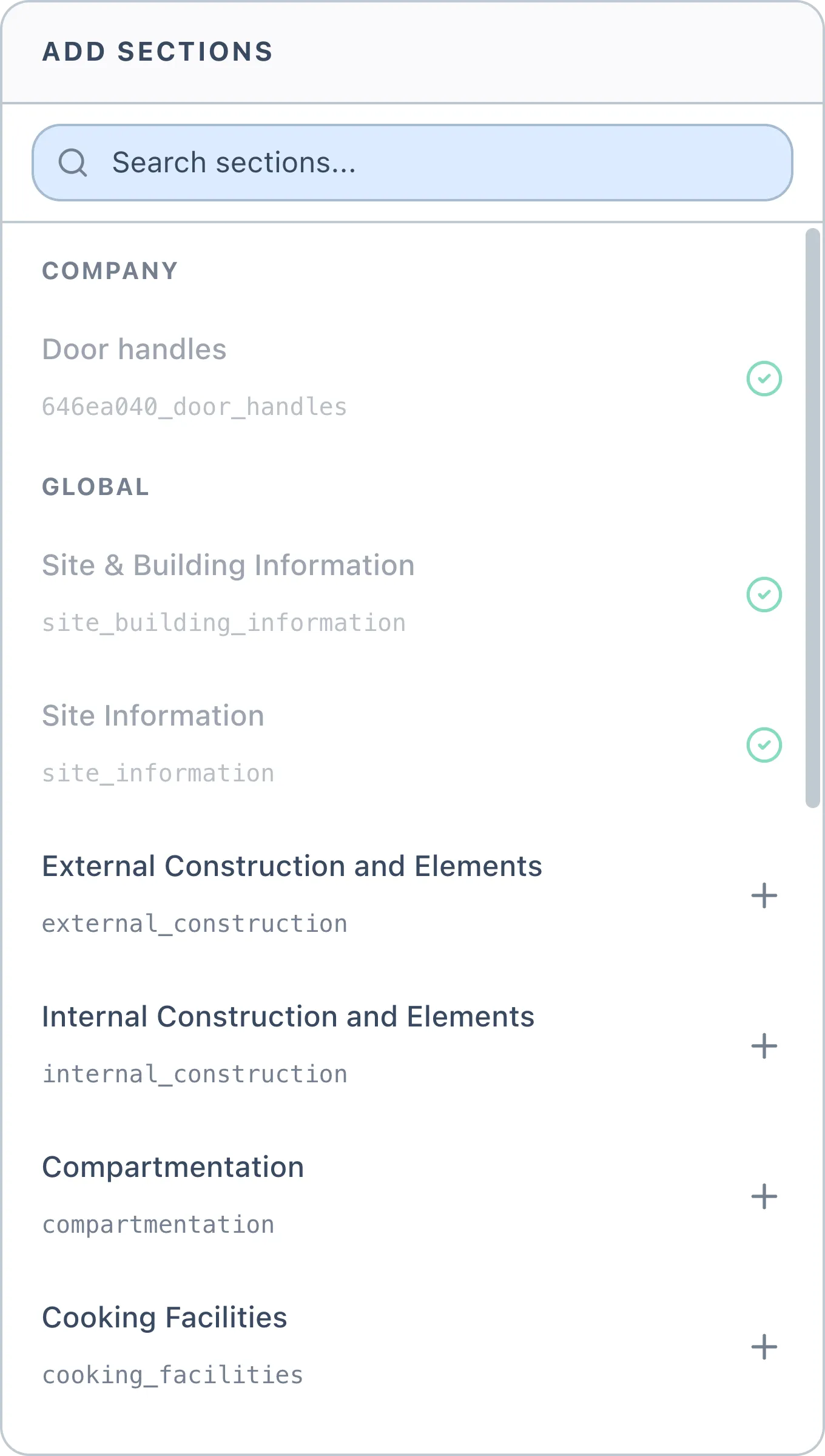
Fifteen standard sections, designed around PAS 79-1 and BS 9792
Your own sections and questions on Pro
Published templates are versioned, never overwritten
The library you start from.
Certshor's sections and questions ship with every account and cover the ground a fire risk assessment has to cover. Nothing to configure before your first job.
- 01Site & Building Information
- 02Site Information
- 03External Construction and Elements
- 04Internal Construction and Elements
- 05Compartmentation
- 06Cooking Facilities
- 07Laundry Facilities
- 08Heating
- 09Residents' Flats
- 10Servicing and Maintenance
- 11Staff Training
- 12Property Management
- 13Building Occupancy
- 14General Policies
- 15Recordkeeping
Add your own sections to any of this, on Pro
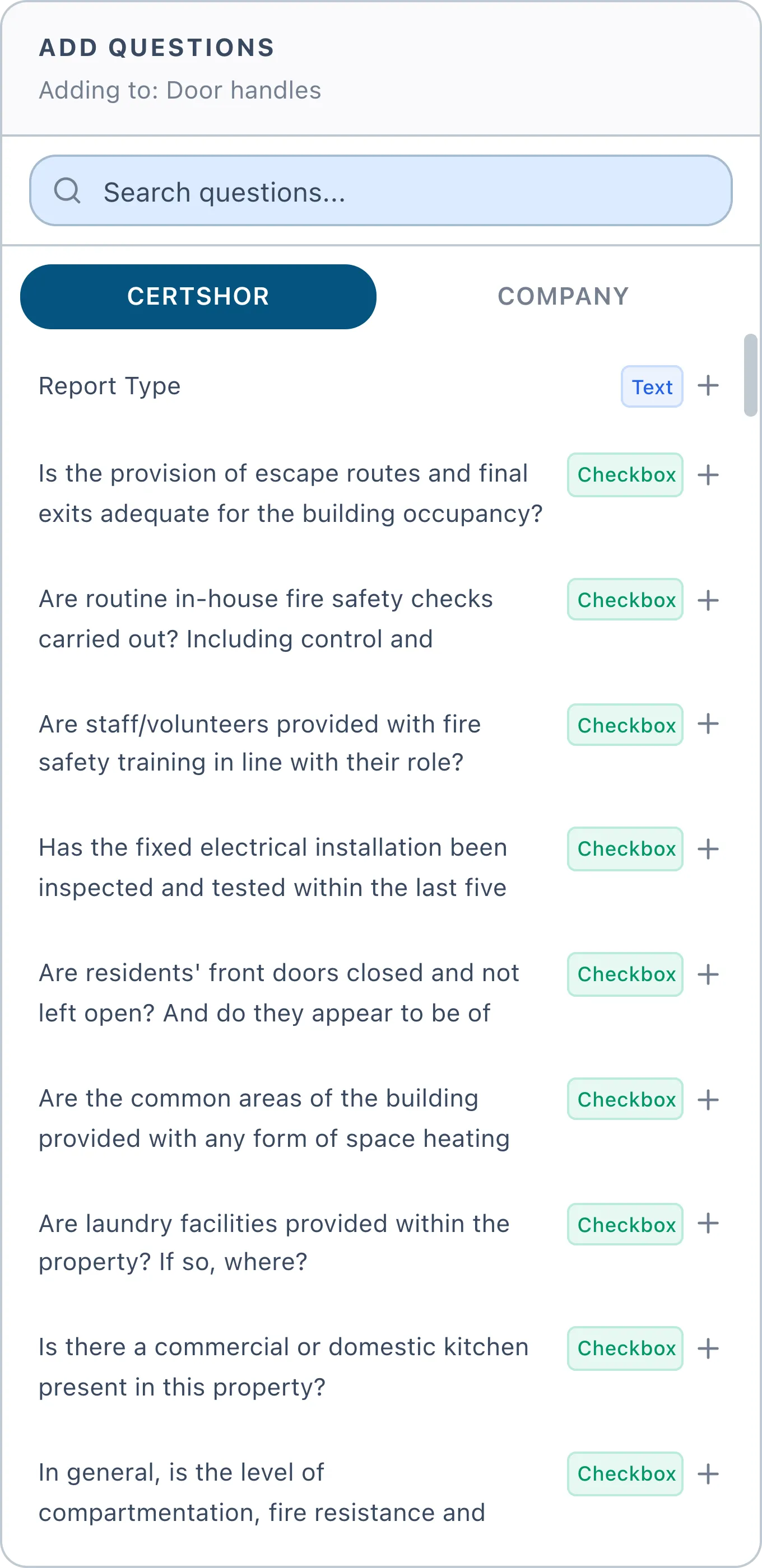
Your questions, alongside ours.
Certshor's library is read-only. You extend it rather than edit it, so the standard stays standard. Anything you add is private to your company and sits in the same panel, on its own tab.
What a question of yours carries
A type
Yes / no, or free text. Yes / no questions are the ones Certshor evaluates.
Helper text
Sits under the question on site, for whoever is doing the walk-round.
Defaults you can override
Whether it is required, carries a comment box, and offers a not-applicable answer. Each template can override all three.
An AI hint
Five to ten keywords or legislation references, used to build a targeted query for that question. Left blank on anything non-technical.
Custom sections, custom questions and the form builder are on Pro. Every plan can run the standard template.
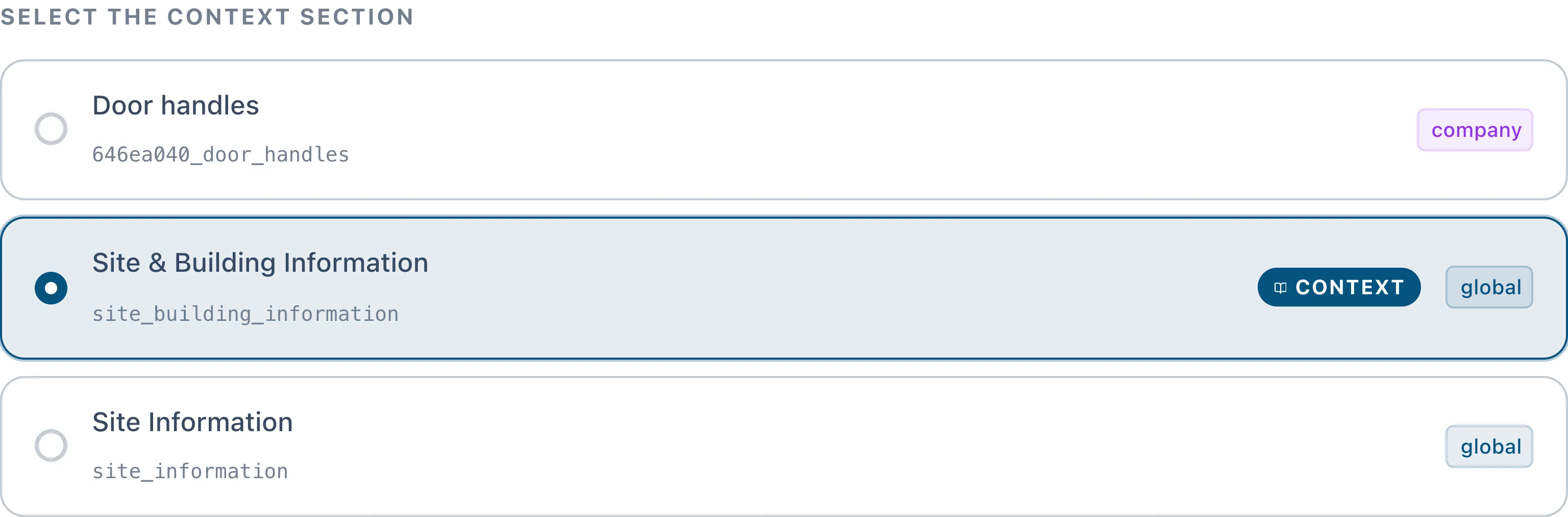
One section sets the scene for all the others.
Context, carried through the whole assessment.
Every template names exactly one context section. It is the one that captures the site and the building.
Your assessor fills it in like any other section, but it is not sent off to be evaluated. Its answers are attached as background when every other section is assessed, so a verdict on a stairwell is reached knowing what kind of building the stairwell is in.
Published, then versioned.
Once a template is published it is read-only. Changing it means creating a new version, which leaves every assessment already signed off on exactly the form it was done on.
v1Retired
The form the assessments signed off last year were built on. Still exactly as it was.
v2Published
What every new assessment picks up today. Read-only, so nobody edits the live form by accident.
v3Draft
Your changes in progress. Nothing moves until you publish it.

Bring your own form and we will set it up with you.
Book a short demo, show us the assessment you run now, and we will build it in front of you.
Book a demo