
One assessment is a job. Fifty is a portfolio.
Every assessment your team finishes feeds the same dashboard, so what is outstanding across all of them is a number rather than a feeling.
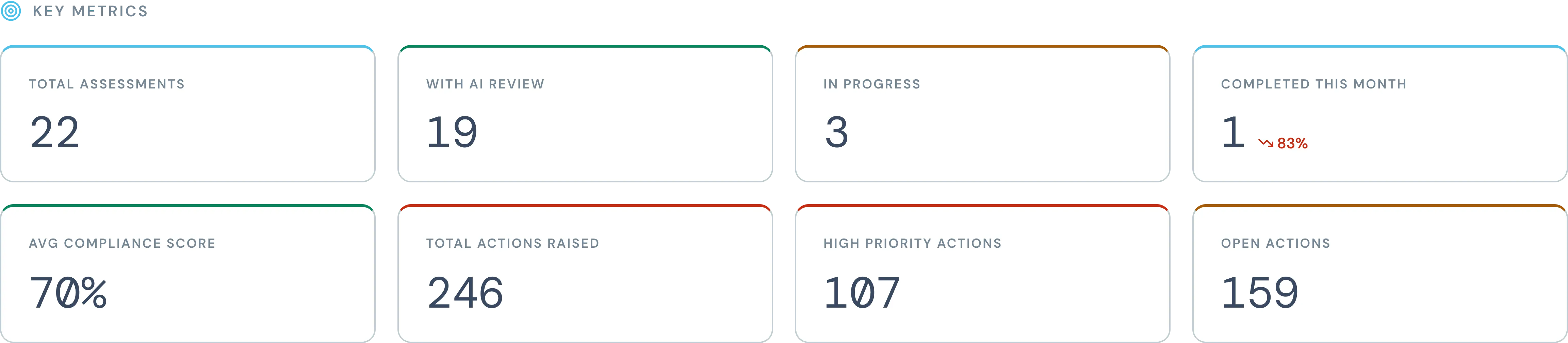
Live across every assessment your team runs
Filter by template, risk, assessor or location
Export any view to CSV
Three questions, answered on one screen.
How much work is done, how compliant the portfolio is, and what is still outstanding. Everything else on the page is a way of cutting those three.
01
Coverage
How many assessments exist, how many have been through the AI, and how many are still open.
02
Compliance
An average score across the portfolio, and a trend line so you can see which way it is going.
03
Actions
Everything raised, split by priority, with the number still open against the number closed.
Where the risk actually sits.
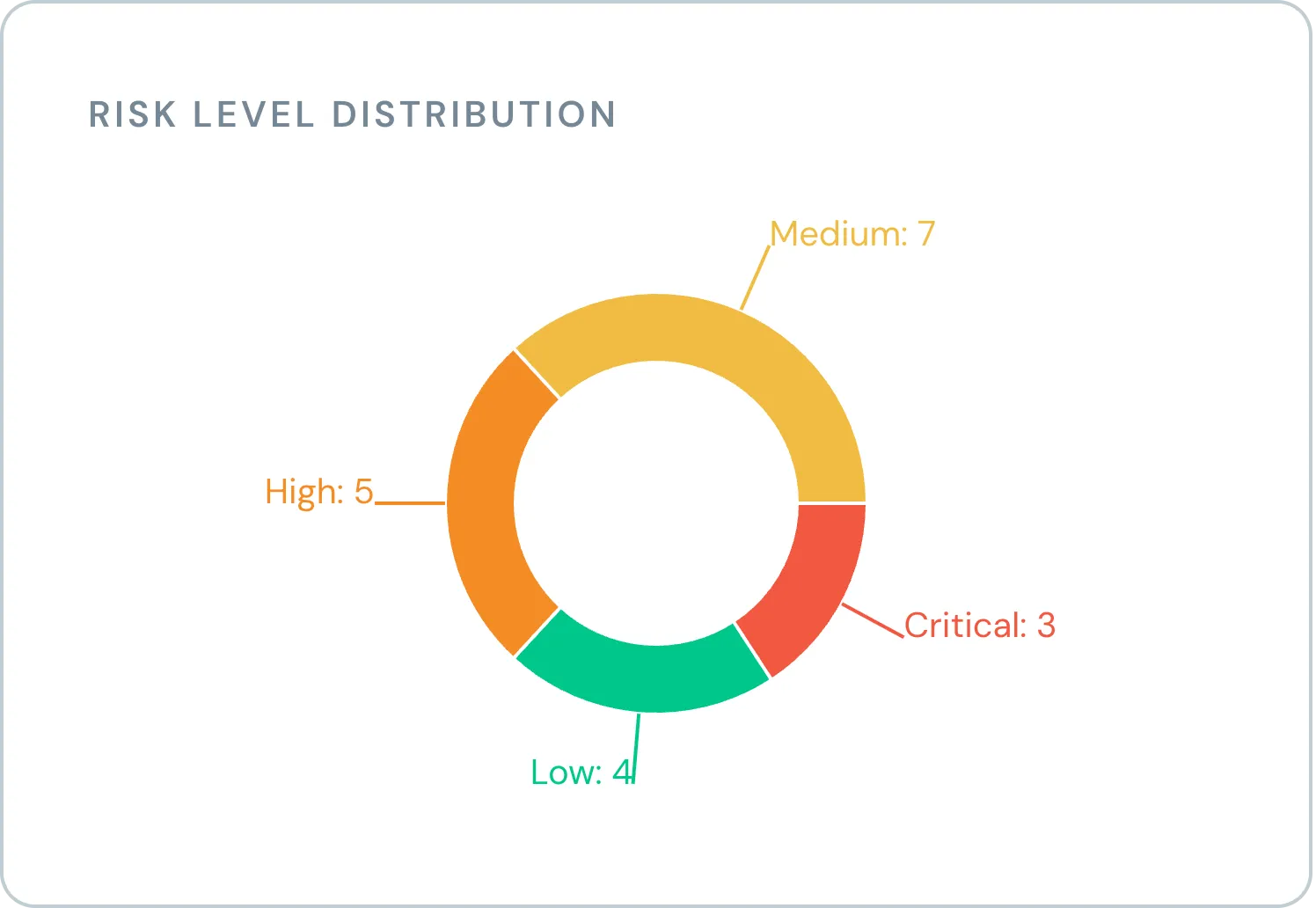
Not an average that hides the outliers. The spread across the portfolio, so the critical ones are countable and you know how many you are dealing with.
An average tells you how things are going. The spread tells you what to do on Monday.
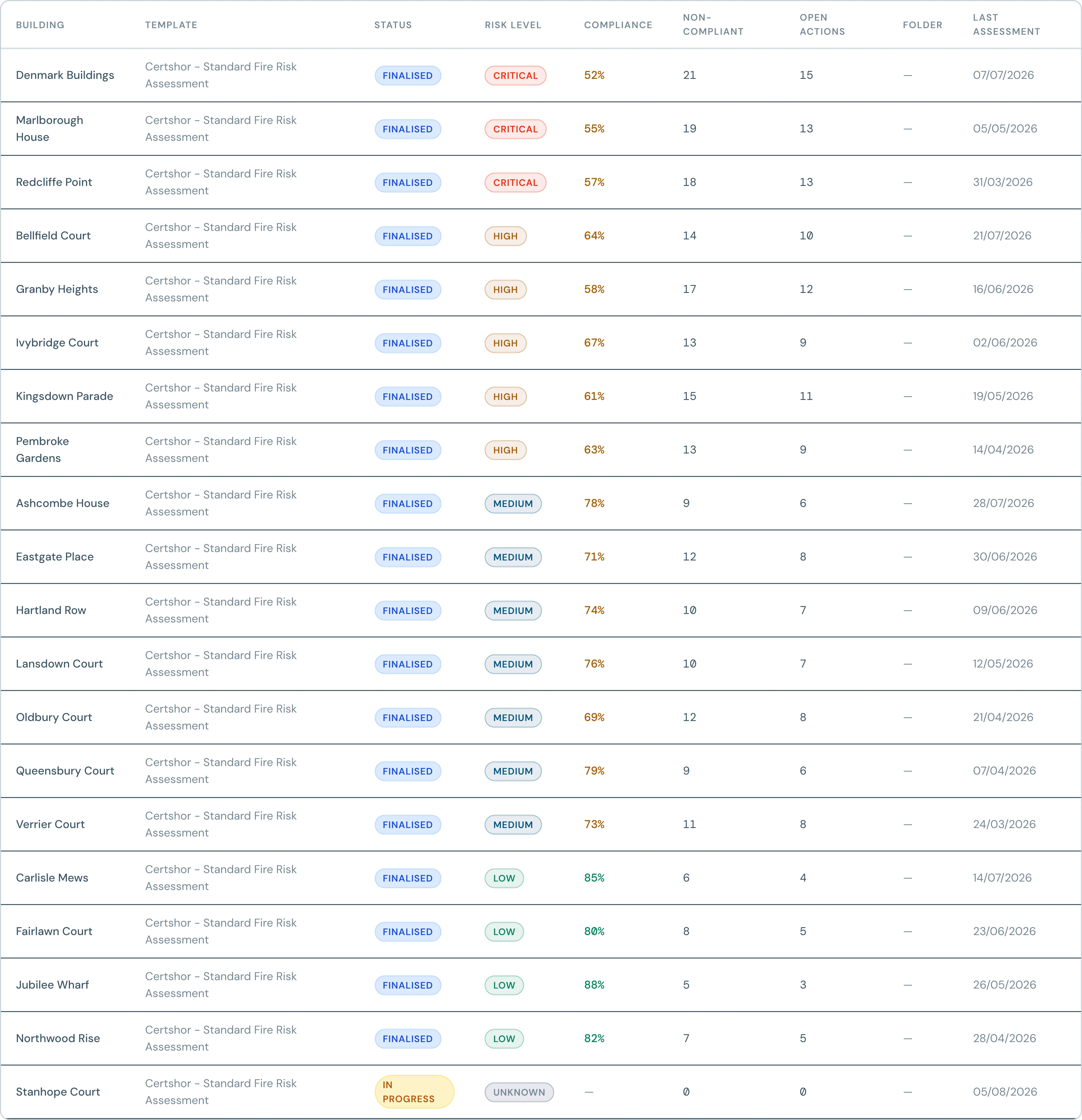
Every building, in one register.
Sorted worst first, so the buildings that need attention are the ones you see. Status, risk level, compliance score, how many findings were non-compliant, and how many actions are still open.
Cut it byTemplate, Risk level, Assessor, Location
Take it awayExport any view to CSV
And the report itself.
The dashboard is for you. The report is for whoever is paying for the assessment, and it comes out as a document you can send them.
Word
The full assessment as a document: your findings, the ratings, the write-ups and the actions. Edit it further if your client expects a particular house style.
CSV
The same data as rows, for whatever you keep your own records in. Available on the assessment and on any dashboard view.
See it with your own portfolio in it.
Book a short demo, tell us how many buildings you look after, and we will show you what the dashboard would say about them.
Book a demo